Find Your Perfect PUBG Mobile Sensitivity — Instantly
Stop copying pro codes that don’t fit your device. Our smart calculator generates personalized camera, ADS, and gyroscope sensitivity settings based on your phone, playstyle, and FPS — no guesswork required.
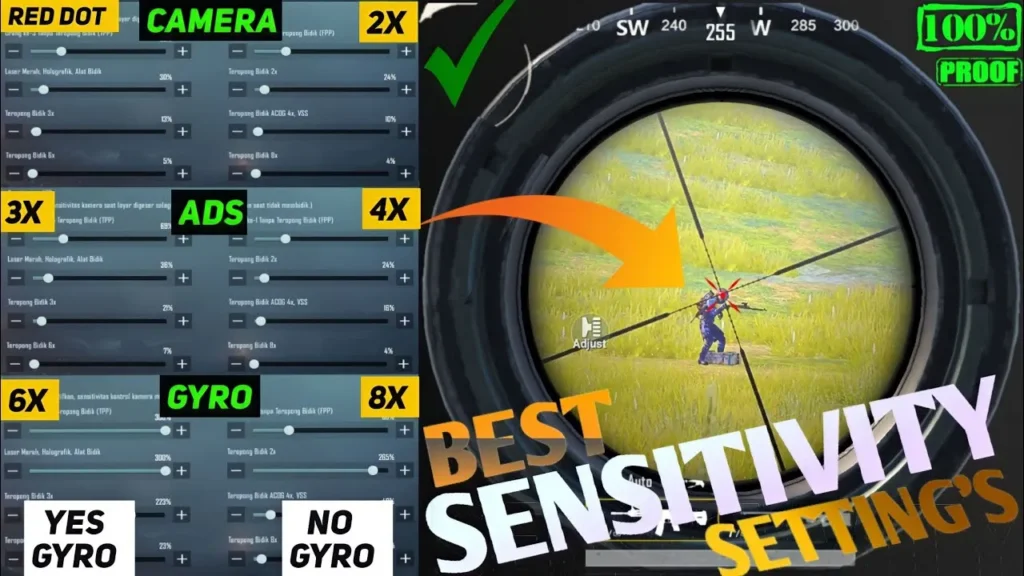
Whether you’re grinding ranked matches or just trying to win your first Chicken Dinner, your PUBG Mobile sensitivity settings are one of the most critical factors separating winners from eliminated players. Too high and your aim flies past targets. Too low and you react too slowly in close-range fights.
The problem? Most players copy sensitivity codes from pro streamers — codes that were built for flagship devices running 120 FPS with full gyroscope setups. If you’re on a mid-range Android at 60 FPS with thumb-only controls, those settings will feel completely wrong.
Our free PUBG Mobile Sensitivity Calculator solves this by generating scientifically adjusted sensitivity values tuned specifically to your device, screen size, gyroscope preference, playstyle, and FPS setting.
What is PUBG Mobile Sensitivity?
Sensitivity in PUBG Mobile controls how fast your camera or crosshair moves when you swipe your screen, use ADS (Aim Down Sights), or tilt your phone with the gyroscope. Every single sensitivity category has its own independent value on a scale from 0 to 400.
The main sensitivity categories you need to configure are:
Camera Sensitivity (Free Look & No Scope) Controls general camera rotation when you’re not scoped in. Higher values let you spin and scan faster. Most balanced players run Free Look between 100–140.
ADS Sensitivity Controls how fast your crosshair moves when looking down sights. Each scope level (Red Dot, 2x, 3x, 4x, 6x, 8x) has its own ADS value. As scope magnification increases, lower sensitivity is essential — the 8x magnifies every tiny movement by 8×.
Gyroscope Sensitivity If you use your phone’s built-in gyroscope to tilt and aim, gyro sensitivity controls how responsive that tilt is. Full gyro players typically set high values (250–350) for no-scope situations and progressively lower values for scoped shots.
ADS Gyroscope Sensitivity A separate layer of gyro sensitivity that activates only when you’re aiming down sights. This is critical for controlling recoil on 4x and 6x scopes without oversteering.
Why You Shouldn’t Copy Pro Sensitivity Codes
Pro players’ sensitivity codes are optimized for:
- High-end flagship phones with 120Hz+ displays
- Full 4-finger or 5-finger claw layouts
- Always-on gyroscope usage
- Playing at 90 or 120 FPS with Extreme/Ultra graphics
If your device doesn’t match these conditions, importing those codes blindly will make your game feel sluggish or twitchy. A sensitivity that’s perfect on a ROG Phone 8 at 165 FPS will be completely unusable on a Redmi Note at 60 FPS.
Our calculator accounts for all of these variables and generates a sensitivity profile that actually fits your setup.
How Our Calculator Works
Our PUBG Mobile sensitivity calculator uses a multi-factor algorithm to generate your optimal settings:
1. Screen Size Factor Larger screens require lower sensitivity because your thumb travels a greater physical distance per swipe. A 6.2-inch Samsung S24 and a 6.8-inch S24 Ultra should have noticeably different camera values — even though they’re the same phone family.
2. FPS Adjustment Higher frame rates produce smoother on-screen motion, which allows for slightly elevated sensitivity without the jittery feeling. Players on 90 FPS or 120 FPS receive an upward sensitivity adjustment of 6–10%.
3. Gyroscope Mode Full gyro players receive elevated gyroscope values (300+ for no-scope) alongside reduced ADS sensitivity to avoid double-counting the aim movement. Partial gyro users get optimized scope values only (2x–8x). No gyro players get compensated with slightly higher camera values.
4. Playstyle Logic
- Aggressive: Camera and ADS boosted 15–20%. Built for close-range spray control and quick flicks.
- Sniper: Scope sensitivity reduced 25%. Maximizes stability at 6x and 8x magnification.
- Close Range: Camera boosted 25%, scope values slightly reduced.
- Balanced: Default tuned values for all scenarios.
5. Finger Setup 2-finger players use lower sensitivity (thumb-only control has less precision at high values). 4-finger and 5+ claw players benefit from elevated sensitivity since their control layout provides more fingers for stabilization.
Best PUBG Mobile Sensitivity by Playstyle
Aggressive / Rusher
Aggressive players need fast camera response to react in close-quarters combat. Your camera free look should be high (130–160), red dot and holographic ADS should be responsive (65–80), and 2x sensitivity should allow quick tracking. Gyro users should max no-scope gyro for reactive hip-fire correction.
Recommended camera range: 130–160
Recommended ADS Red Dot: 65–80
Recommended Gyro (No Scope): 280–350
Sniper / Long-Range
Precision is everything. Every 1% increase in sensitivity at 8x magnification translates to massive crosshair movement. Sniper-focused players should keep 6x ADS below 25 and 8x ADS below 20. Gyro should be moderate on 6x and minimal on 8x to avoid over-correction during breath holds.
Recommended 6x ADS: 18–25
Recommended 8x ADS: 12–18
Recommended Gyro 8x: 70–90
Balanced
The most forgiving setup. Balanced sensitivity lets you hold your own in close fights while still landing accurate mid-range shots. This is the best starting point for players new to configuring their own sensitivity.
Recommended camera: 110–130
Recommended ADS 4x: 30–40
Recommended Gyro 4x: 140–160
2-Finger Players
Thumb-only players benefit from slightly lower sensitivity across the board. Without the gyroscope to stabilize fine aim, very high values cause uncontrolled sprays. Start with balanced presets and increase in increments of 5 after each practice session.
Device-Specific Sensitivity Guide
iPhone 16 Pro (6.3″, 120 FPS)
The ProMotion 120Hz display and Apple’s precise gyroscope make the iPhone 16 Pro one of the best PUBG Mobile devices. Full gyro is highly recommended. Camera sensitivity around 120–130 works well given the 6.3″ screen. ADS values can sit slightly higher than Android equivalents due to iOS’s touch sampling precision.
Samsung Galaxy S24 Ultra (6.8″, 120 FPS)
The large 6.8-inch display means lower camera sensitivity is essential — running values designed for a 6.2″ phone will result in overshooting. Recommend camera at 105–115 and ADS 4x around 30–35.
Poco X6 Pro / F6 Pro (6.67″, 120 FPS)
Xiaomi/Poco devices have excellent gyroscope hardware at a mid-range price. Full gyro with 120 FPS is the optimal setup. These devices perform best with slightly elevated sensitivity compared to Samsung flagships due to their touch response characteristics.
ASUS ROG Phone 8 (6.78″, 165 FPS)
The highest FPS-capable device in our presets. ROG players can push sensitivity values 10–15% higher than standard recommendations. The ultrasonic shoulder triggers allow for 4–6 finger claw layouts.
Google Pixel 9 Pro (6.3″, 120 FPS)
Smooth Android One experience with excellent gyroscope calibration. Pixel devices benefit from full gyro with camera values similar to iPhone due to comparable screen size and gyro quality.
PUBG Mobile Gyroscope Sensitivity Guide
The gyroscope is one of the most powerful tools in PUBG Mobile — and one of the most misunderstood. Here’s the core logic:
Full Gyro (Always On) Use gyro for all situations from hip-fire to 8x sniping. Requires high skill ceiling but offers the highest possible precision. Top competitive players almost exclusively use full gyro.
- No Scope: 280–350
- Red Dot: 240–280
- 2x: 200–240
- 3x: 170–200
- 4x: 140–170
- 6x: 100–130
- 8x: 70–100
Partial Gyro (Scope Only) Best entry point for gyro beginners. Gyro activates only when a scope is open. Allows normal thumb aiming at close range while providing gyro stability for mid-to-long range.
No Gyro Thumb-only aiming. Best for players on devices with unreliable gyroscopes or those who prefer pure swipe-based control. Requires slightly higher camera and ADS values to compensate.
How to Apply Your Sensitivity in PUBG Mobile
Open PUBG Mobile and tap Settings (top right)
Select the Sensitivity tab
Enter each value from your generated profile
Go to Training Mode and test with at least 3 weapons (M416, AKM, M24)
Make micro-adjustments of ±5 per category based on feel
Never test new settings for the first time in ranked matches
Training Weapon Guide for Sensitivity Calibration
| Weapon | Best For Testing |
|---|---|
| M416 | Mid-range ADS, 3x/4x scope calibration |
| AKM | High-recoil ADS, spray control at Red Dot and 2x |
| M24 | 6x/8x gyro calibration, bolt-action precision |
| UZI | No-scope camera sensitivity stress test |
| SCAR-L | Beginner-friendly recoil pattern, all-round ADS |
| MK14 | Semi-auto precision, 6x ADS fine-tuning |
Targets Featured Snippets
Q: What is the best sensitivity for PUBG Mobile in 2026? There is no single “best” sensitivity — the ideal settings depend on your device screen size, FPS capability, whether you use gyroscope, and your playstyle. Our calculator generates personalized values based on all these factors. As a general benchmark, balanced players on a 6.5″ Android at 60 FPS typically use camera sensitivity of 110–120 and 4x ADS around 35–40.
Q: What is the best gyroscope sensitivity for PUBG Mobile? For full gyro players, no-scope gyroscope sensitivity should be between 280–350, with progressively lower values for each scope level. By 8x scope, gyro sensitivity should be 70–100 to prevent over-correction at long range. Partial gyro players should start 2x gyro around 240–260.
Q: How do I reduce recoil in PUBG Mobile? Recoil is reduced through a combination of lower ADS sensitivity, higher gyroscope sensitivity, and weapon-specific practice. Lower scope ADS values give you more control per frame. Using the gyroscope to counteract barrel climb is the most effective technique. Grip attachments (vertical grip, half grip) also reduce recoil by 15–25%.
Q: What sensitivity does PUBG pros use? Professional PUBG Mobile players typically use 120–140 camera sensitivity, ADS values of 55–70 for Red Dot, 35–45 for 3x, 25–35 for 4x, and 15–22 for 6x/8x. Most pros use full gyroscope at 300+ for no-scope. These settings are tuned for flagship phones at 120 FPS with 4–6 finger claw layouts.
Q: Is higher sensitivity better in PUBG Mobile? Not necessarily. Higher sensitivity allows faster camera rotation and quicker reactions at close range, but reduces precision at medium and long range. The optimal sensitivity is the highest value you can control without overshooting targets. Most players benefit from moderate camera values (100–140) and progressively lower values for each scope level.
Q: What is the difference between camera sensitivity and ADS sensitivity in PUBG Mobile? Camera sensitivity controls your free-look and hip-fire camera speed. ADS (Aim Down Sights) sensitivity controls how fast your crosshair moves when looking through a scope or iron sights. ADS sensitivity is scope-specific — each magnification level (Red Dot, 2x, 3x, 4x, 6x, 8x) has its own ADS value.
Q: What PUBG Mobile sensitivity should I use for 120 FPS? At 120 FPS, you can increase sensitivity by approximately 8–12% compared to 60 FPS settings. The smoother frame delivery allows for more precise micro-adjustments at higher values. Our calculator automatically applies this FPS-based adjustment.
Q: What sensitivity should I use for the 8x scope in PUBG Mobile? 8x scope ADS sensitivity should generally be between 12–20. Because 8x magnifies every movement by 8 times, even small trembles become large crosshair shifts. If you use gyroscope, 8x gyro sensitivity should be 70–90 for controlled micro-adjustments during long-range shots.